
Esper supports tvOS — and it's already in your tenant
There's a gap in the market that's been hiding in plain sight for years. Walk into any QSR, hotel lobby, retail flagship, or hospital waiting room and you'll find Apple TVs running digital signage, menu boards, welcome screens, or patient-facing content. These devices are in commercial deployments at real scale. And they're often managed with a patchwork of tools that were never built for them. A hodgepodge of consumer MDMs running iOS profiles that half-work on tvOS, manual provisioning processes, or shadow IT solutions that the IT team inherited from whoever set them up originally.
The problem isn't that Apple TV is hard to manage. The problem is that most MDMs treat tvOS as a second-class iOS cousin — check a box, reuse an iOS policy, ship it. That works until it doesn't, and it doesn't work when you care about enrollment reliability, policy observability, and operational predictability at fleet scale.
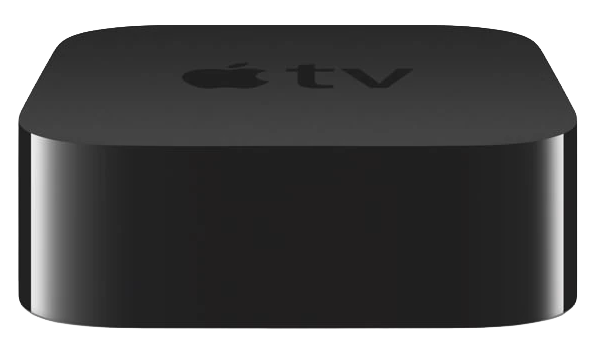
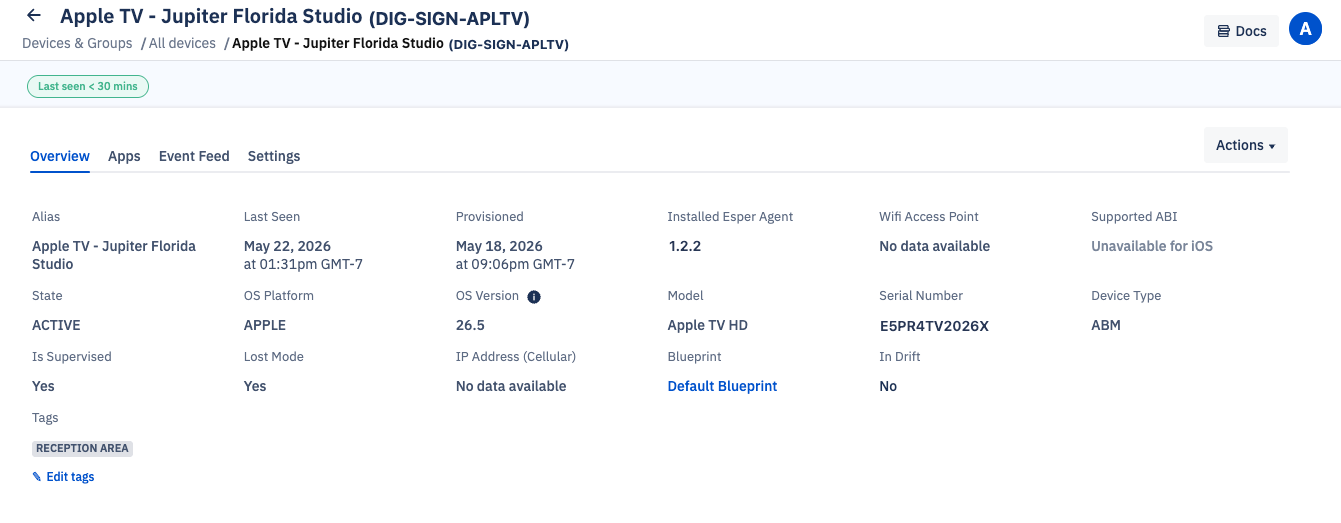
Esper now supports Apple TV as a fully managed platform. Zero-touch ADE enrollment, Blueprint-based configuration built for tvOS, app management via VPP, and a dedicated management model that reflects how operators actually deploy Apple TV: As its own cohort, separate from iOS, with its own purpose and policy set. Here's what that looks like in practice.
TL;DR
- Esper now manages tvOS (Apple TV) as a first-class fleet platform: zero-touch ADE enrollment, Blueprint-based configuration, and VPP app management, available now in your existing tenant
- tvOS and iOS share the MDM protocol but expose different management capability surfaces; iOS configurations don't reliably apply to Apple TV, and a policy that silently applies to an iPad may do nothing on an Apple TV
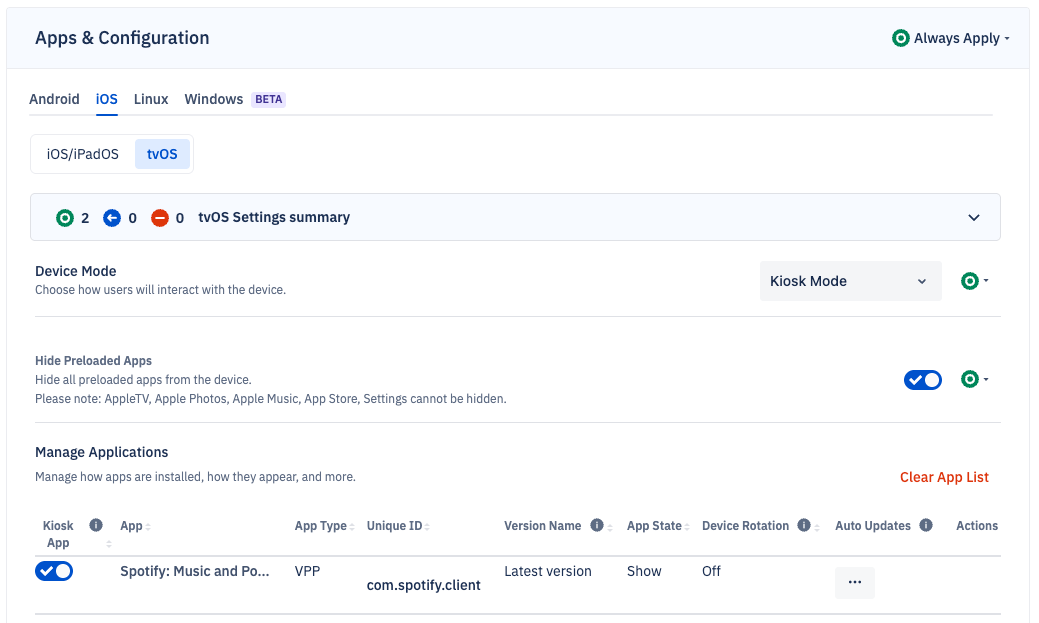
- Apple TV deployments almost always get their own Esper Blueprint — not because the platform requires it, but because an ethernet-connected, always-on display device is doing a completely different job than any iOS device in your fleet
- "Apple Blueprint" (in ABM) and "Esper Blueprint" are two different things: ABM assigns the device to an MDM server; Esper Blueprint manages it for its operational lifetime
- First device enrolled in under 10 minutes. Step-by-step setup: Esper tvOS enrollment guide
Why We Built This, And Why Now
Operators have been asking for this. The pattern we kept seeing: a company runs a solid Android fleet on Esper — tablets, kiosks, POS — and then they tell us they're managing their Apple TV menu boards or lobby displays with something else. Or nothing coherent. The Apple TV deployment exists in a gray zone where IT knows it needs management but hasn't found a tool that actually fits.
The gap isn't just about tooling. It's conceptual. Apple TV commercial deployments don't look like anything else in the fleet. They're typically ethernet-connected, always-on, operator-controlled, never touched by an end user.
The device boots, connects to the network, checks in with MDM, and runs its assigned app. That's it. No user accepting a consent flow, no App Store to browse, no personal data, no BYOD context. There's no reason to treat this device the way you'd treat a managed laptop.
tvOS deserves dedicated management infrastructure
Esper is built on a core principle: dedicated devices deserve purpose-built management, not leftover EUC tooling repurposed for operational fleets. That principle applies as clearly to Apple TV as it does to Android kiosks or Windows POS terminals. When we decided to build tvOS support, we built it for the dedicated device reality — supervised, fleet-operated, ethernet-primary, silent enrollment, operator-defined policy. Not for a world that doesn't exist in practice.
How tvOS Is Different, And Why That Matters for Your Blueprint
iOS and tvOS share a lineage, but they’re not the same platform. They share the MDM protocol, the ADE enrollment mechanism, and Apple Business Manager. But they are different operating systems with different MDM capability surfaces. tvOS has a smaller set of MDM-configurable restrictions than iOS. Some iOS payloads don't apply to tvOS at all.
The connectivity model is almost entirely inverted: where iOS assumes WiFi as primary, Apple TV commercial deployments run on ethernet. That auto_advance_setup: true flag in the ADE profile — the one that guarantees zero-touch ethernet enrollment with no setup screen interaction? Critical for tvOS. Not relevant for most iOS deployments: Esper ADE enrollment guide.
If you take an iOS-shaped MDM and try to stamp it onto an Apple TV fleet, you get configuration drift, silent profile failures, and uncertainty about what's actually applied. You get the surface appearance of management without the operational certainty.
Why you'll almost always give Apple TV its own Blueprint
Blueprints in Esper are use-case containers for the operator source of truth. You don't build a Blueprint around an OS. You build it around a job the device is doing with fidelity per OS. A Blueprint for a QSR POS terminal looks nothing like a Blueprint for a digital menu board, even if both happen to run on Apple hardware.
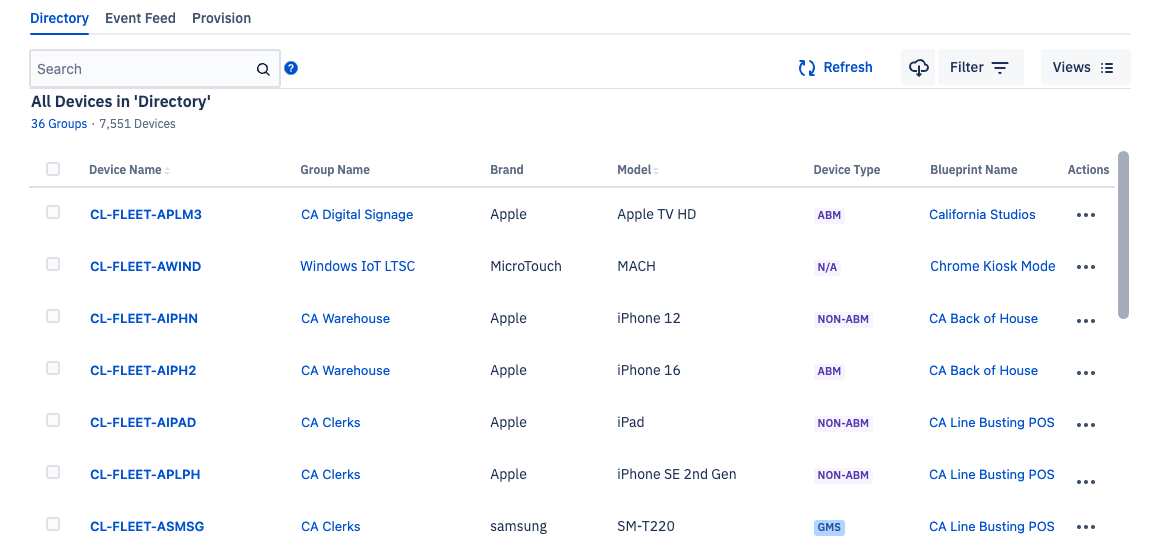
That's the real reason Apple TV deployments end up with their own Blueprints, and it's not a limitation — it's the correct model. Think about it: an iPad in your fleet is likely doing something interactive: A POS transaction, an inventory scan, a patient intake form. Your Apple TVs are running menu boards, lobby displays, or content channels. Different apps, different network configs, different update tolerances, different everything. There's no meaningful shared policy between them.
Could you theoretically put an iPad and an Apple TV in the same Blueprint if they genuinely shared a use case? Yes. Esper supports it. But in practice, almost no operator deploys Apple TV and iPad to do the same job. So the pattern you'll see is Apple TV use cases traveling in their own Blueprints. Not because the platform forces it, but because the operational reality demands it.
Blueprints follow the job, not the device type. Apple TV just happens to have a very distinct job.
ABM, Apple Blueprint, and Esper Blueprint: Three Different Things
There's a naming collision here that causes real confusion, and we want to address it head-on because it matters for your deployment.
Apple Business Manager is your enrollment infrastructure
Apple Business Manager (ABM) — sometimes called ADE, or previously DEP — is Apple's zero-touch enrollment system. It's how your Apple TV devices get linked to an MDM server before they ever power on. You buy devices, they appear in ABM, you assign them to your MDM of choice. When the device powers on for the first time, it queries Apple, discovers it's assigned to your MDM, and enrolls automatically. No hands, no QR codes, no user interaction.
ABM also handles your app and book licensing through Apps & Books (formerly VPP). This is how you assign paid or free App Store apps to devices silently, without requiring an Apple ID on the device.
ABM itself is not a management tool. It's the enrollment and licensing backbone. Your MDM (in this case, Esper) is the management tool.
Apple introduced "Blueprints" in Apple Business Manager
Apple now uses the word "Blueprint" to describe device configuration templates you can create inside ABM. An Apple Blueprint is essentially a named enrollment profile. It defines what MDM server the device gets assigned to, what configuration profiles get applied at enrollment, and what apps get installed. You create it in ABM, you assign it to devices or device groups.
Apple Blueprints are lightweight. They execute at enrollment time and don't provide the ongoing management, remote commands, policy enforcement, or observability that a real MDM delivers. Think of them as an onboarding template, not a fleet management system.
An Esper Blueprint is a completely different thing
When Esper says "Blueprint," we mean something fundamentally different. And operationally more powerful.
An Esper Blueprint is the complete, persistent desired state for a managed device or group of devices. It defines what apps are installed and at what versions, what network configurations are applied, what OS update policy governs the device, what restrictions are in place, and dozens of other parameters. The Esper platform enforces that Blueprint via the Converge operation. If a device drifts from the desired state (an app gets removed, a configuration changes) Esper detects it and enables the operator to bring the device back into compliance. You're not just setting an enrollment policy. You're defining what the device looks like on day 300 of deployment, not just day 1.
The relationship: Apple Blueprint assigns your device to Esper as its MDM server. Esper Blueprint takes over from there and manages the device for its operational lifetime. For Blueprint configuration specifics, see our Esper Blueprint documentation.
tvOS Support Is the Foundation, Not the Ceiling
The immediate capability is solid — ADE enrollment, Blueprint-based configuration scoped to tvOS, VPP app management, OS update control on supervised devices. That's the table stakes for running Apple TV fleets without improvising. But the more interesting work is closing the parity gaps between what Esper can enforce natively via MDM commands (with full observability) versus what currently requires uploading a configuration profile (fire-and-forget, no per-device signal).
The iOS/tvOS MDM protocol continues to evolve. Apple's Declarative Device Management (DDM) pathway is maturing, and it shifts the architecture toward devices reporting their own compliance state rather than waiting for MDM commands, which is a meaningful change for fleet observability at scale. Esper's tvOS investment positions us to move with that protocol evolution rather than catching up to it.
More practically: operators who run multi-platform fleets like Android kiosks, Windows POS terminals, iOS tablets, and Apple TV displays deserve a single management pane that handles all of it without platform-specific context-switching. That's the trajectory. tvOS support isn't a standalone feature. It's another node in the heterogeneous fleet management story that Esper has been building since we shipped Android.
Frequently Asked Questions
What is Apple TV MDM management?
Apple TV MDM management is the practice of enrolling, configuring, and operating Apple TV devices at fleet scale through a Mobile Device Management server — controlling app deployment, OS updates, configuration profiles, and device policy without physical access to each unit. For commercial deployments, this requires Apple Business Manager (ABM) for zero-touch enrollment and a dedicated MDM platform like Esper for ongoing fleet management.
How is managing Apple TV different from managing iPad or iPhone?
tvOS and iOS share the MDM protocol but expose different management capabilities. tvOS has a narrower set of MDM-configurable restrictions, assumes ethernet as primary connectivity (not WiFi), and has no meaningful end-user interaction surface. This means iOS configurations don't map directly to Apple TV — a policy that silently applies to an iPad may simply do nothing on an Apple TV. Fleet operators should maintain separate Blueprints for their iOS and tvOS cohorts, not try to share a single policy across both. For the full MDM capability surface on tvOS, see Apple's MDM protocol reference.
What is the difference between an Apple Blueprint and an Esper Blueprint?
Apple Blueprint (in Apple Business Manager) is an enrollment-time configuration template — it assigns a device to an MDM server and sets basic parameters at first boot. It's static and has no ongoing enforcement. An Esper Blueprint is the complete desired operational state for a device group, continuously enforced over the device's lifetime. Esper detects drift, sends commands, and reports per-device compliance. Apple Blueprint gets your device to Esper. Esper Blueprint manages it from there. See Esper Blueprint documentation for configuration specifics.
Can I manage Apple TV with the same Blueprint I use for my iOS devices?
Technically yes, but you almost certainly won't want to. Blueprints in Esper follow the job the device is doing, not the OS it runs. An iPad doing POS transactions and an Apple TV running a menu board are doing completely different jobs — different apps, different network configs, different update policies. There's no meaningful shared Blueprint between them. In practice, Apple TV use cases travel in their own Blueprints because the operational reality demands it, not because the platform forces it.
How do I get started with Apple TV management on Esper?
If you're an existing Esper customer, Apple TV support is live in your tenant today. Connect your Apple Business Manager account to Esper, assign your Apple TV devices to Esper as the MDM server in ABM, power on the devices on your network, and they'll enroll automatically via ADE. For ethernet-connected Apple TVs, set auto_advance_setup: true in your ADE enrollment profile to guarantee zero-touch enrollment with no setup screen interaction required. Full step-by-step setup: Esper tvOS enrollment guide. New to Esper? Sign up for a tenant and follow the same path.
Most MDMs gave Apple TV an iOS policy and called it managed. Esper gave it a Blueprint and called it infrastructure.