

What is Mobile Device Management?
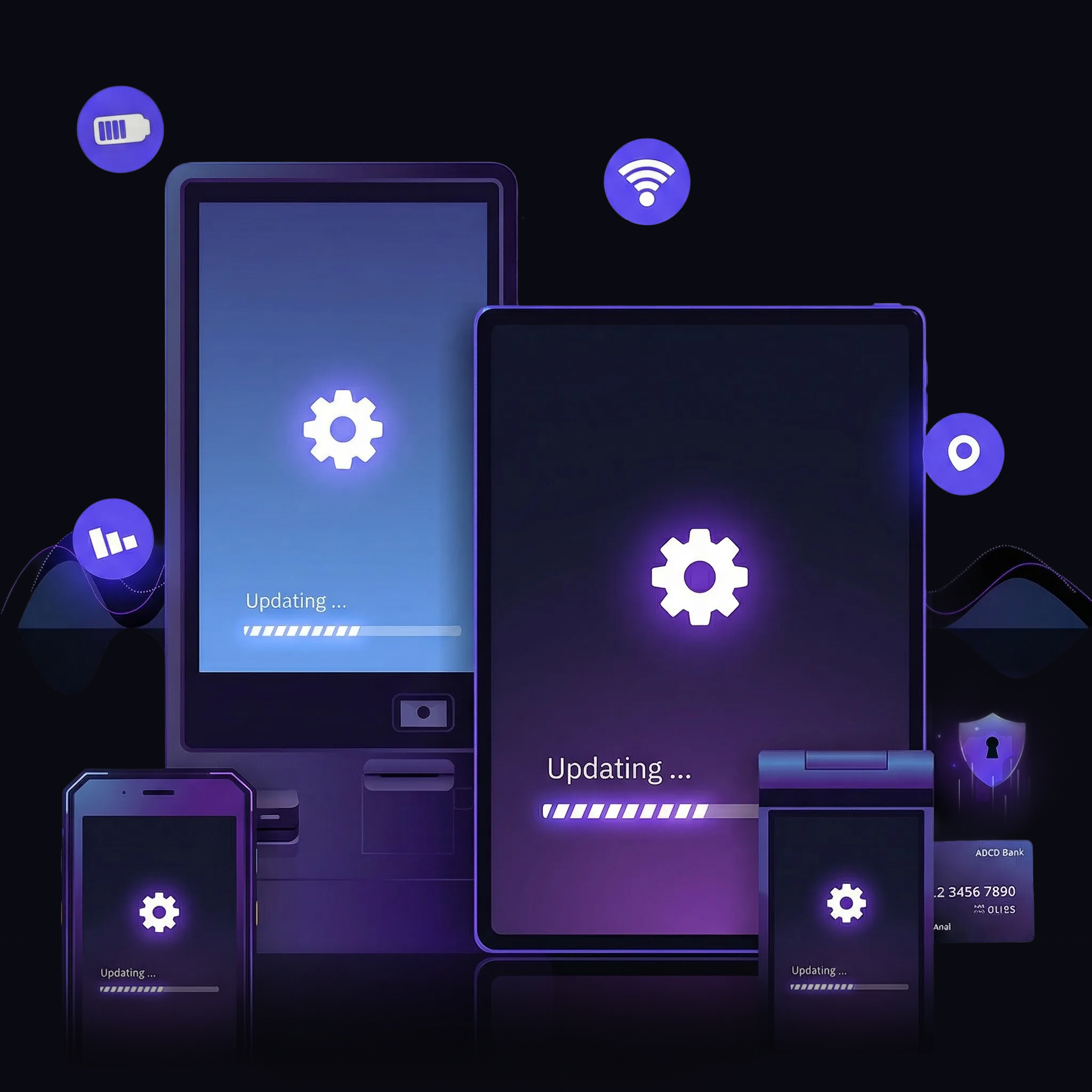
MDM stands for Mobile Device Management, a broad category of software tools that organizations use to remotely monitor, protect, and update devices like employee smartphones, self-service kiosks, point-of-sale systems, and tablets.
For some, it could mean managing employee devices on a company network. For others, it could mean managing business-critical devices like kiosks or point-of-sale. There’s no one-size-fits-all MDM solution, and each device management scenario needs to be evaluated individually.
The Evolution of MDM — From the 2000s to Today
MDMs were born out of the mobility era in the early 2000s, used to enforce security policy and provide asset tracking for early employee smartphones and PDAs via local networks (i.e., to manage mobile devices). We can call this era “1st generation MDM.” Eventually, this expanded to modern smartphones, the “BYOD” (Bring Your Own Device) phenomenon, adding remote management over the internet via cloud, enterprise app updates, and deeper control of device configuration — this could be called “2nd generation MDM.”
In 2026, MDMs are still used for mobile employee devices, but these are a mostly-solved problem by MDM. Which means that the innovation in MDM is largely in business-critical enterprise devices like self-service kiosks, logistics handhelds, industrial compute, edge IoT, AI hardware, and point-of-sale systems. Classes of devices that were traditionally — and often still are — managed by vendor software and custom tooling built by enterprises themselves. But there’s a clear and growing need for more unified platforms to manage these devices.
This new era, which we’ll call “3rd generation MDM,” is driven by a huge and diverse ecosystem of devices. And that deep diversity means no “one-size-fits-all” MDM solution or tool exists. (In fact, many organizations now use multiple MDM tools depending on the type and function of the device managed.)
What is MDM today? Why Does it Matter in 2026?
3rd generation MDM is explicitly focused on the needs of modern enterprise device fleets. This may sound like an arbitrary distinction (hasn’t MDM always been focused on enterprise device fleets?), but there are real, qualitative differences marking each generation of MDM evolution. Let’s briefly summarize them.
- 1st generation MDM (2000 — 2010): Born out of the mobility revolution of the 1990s and early 2000s. Organizations needed to apply the security and asset tracking policies of their always-on, always-connected desktop terminals to emergent classes of mobile devices (PDA, laptop, early smartphone) which only connected to the enterprise network intermittently — requiring new workflows and monitoring tooling. These early tools were often implemented on-premise (i.e. not served over the cloud / as SaaS).
- 2nd generation MDM (2010 — 2020): Driven by the modern smartphone, BYOD, and cloud revolutions. Employees wanted to use their personal smartphones for corporate email, authentication, and applications without needing a second device. Organizations needed to enroll and manage those devices from anywhere, not just the local corporate network. Modern, always-connected mobile OSes (iOS, Android) made this possible, and MDMs hosted in the cloud could communicate with them over the internet. The business model also transitioned to SaaS (Software-as-a-Service).
- 3rd generation MDM (2020 — Present): The explosion in devices like POS, kiosks, edge IoT, and others fundamentally transforms the role of MDMs. Organizations start embracing device diversity while demanding much deeper control at the edge, requiring more powerful and more specialized tooling. Most 1st and 2nd generation MDM software struggles to meet this need, even today.
User-centric vs enterprise use cases: The seismic shift in device management
When you lay out the generational evolution of MDM in the way we did above, two things should become clear:
- The transformation from first to second generation MDM was driven by a change in end-employee use cases (and, to an extent, software sales models), not enterprise or business use cases. This change was enabled by broad, consumer-centric technological shifts that were already underway — the adoption of smartphones, the cloud, and mobile applications.
- The transformation between second and third generation MDM is driven by business and enterprise use cases, and is a much bigger qualitative shift over previous generations of MDM. This change is very enterprise-centric and does not derive from broader consumer technology shifts.
This begs the question: Is the MDM that enterprises need today to manage devices even the same class of software they’ve been using for 20+ years? The short answer is no.
The MDMs used to manage employee smartphones, tablets, and laptops have little bearing on the kind of tooling enterprises need in 2026 to manage dedicated devices like POS systems, kiosks, and logistics handhelds, even if they may share technological underpinnings. But the industry term has stuck around, because legacy MDM tools can technically be used (and unfortunately, often are used) for such devices — just to very limited effect.
What does MDM really mean in 2026?
Now that we’ve defined our generations of MDM and MDM use cases, we can classify MDM tools into two broad categories.
The first is what we will call user-centric MDM. This is the software designed for managing employee laptops, smartphones, and enabling employee-centric use cases like BYOD or COPE (Corporate Owned, Personally Enabled), terms which we’ll detail later in this post. This represents the vast majority of MDM tools on the market today, which were born out of the 1st and 2nd generation MDM models.
The second is dedicated enterprise MDM. This is software explicitly built to enable business and enterprise use cases. Uses cases like point-of-sale, self-service kiosk, edge IoT, industrial compute, robotics, medical devices, and logistics handhelds. These tools are designed on the emerging 3rd-generation MDM model.
Make no mistake: User-Centric MDM still has a seat at the table in 2026. Many organizations need to manage huge numbers of BYOD and COPE smartphones. Those tools enable simple, straightforward workflows for doing so, and often at commodity pricing.
Here’s why you’d use each tool.
Why you’d use a user-centric MDM in 2026
- Managing employee BYOD (Bring Your Own Device) or COPE (Corporate Owned, Personally Enabled) use cases on hardware like smartphones, tablets, and laptops.
- Managing employee desktop computers (yes — MDM is now, ironically, used for stationary systems as well, and has been for many years).
- Managing some devices that are not business critical, do not require always-on monitoring, or frequent updates (e.g., display signage on a video loop).
- Managing legacy hardware without a path to support in enterprise MDM tooling (e.g., older Windows systems).
Why you’d use a dedicated enterprise MDM in 2026
- Managing dedicated enterprise devices with business and revenue-critical functions like point-of-sale, self-service kiosk, and logistics handhelds.
- Managing enterprise devices at very large scale or over a very distributed footprint while maintaining deep, always-on visibility.
- Managing devices across multiple operating systems (mixed OS MDM) with powerful shared workflows for security, updates, and enrollment.
- Managing very complex or hard-to-access hardware with high remote accessibility, security, and control needs to ensure 99.9%+ uptime.
Key features of dedicated enterprise MDM tools
Dedicated Enterprise MDM features include a number of core tools for remote device management, asset tracking, and more that distinguish them from user-centric MDM tools.
Some common examples include:
Remote configuration, control, and troubleshooting:
Remote monitoring and management tools are commonplace among MDM software providers, but the depth of those features varies dramatically. Dedicated enterprise MDM should at minimum allow automated remote configuration and remote viewing, but advanced features like remote debugging, remote control, and failsafes like automated rollback are increasingly required.
Device tracking:
MDM was arguably born out of the asset tracking use case, but dedicated enterprise MDM takes this many steps further. Map-enabled GPS tracking, device geofencing solutions with automatic lockdown, stolen device alarms, and even automatic remote wiping to protect sensitive corporate data distinguish modern, dedicated enterprise MDM solutions from their legacy forebears.
Application and content orchestration:
MDM has long been a tool for pushing app and content updates, but needs have radically transformed in the dedicated enterprise MDM era. You can build your own automated update rollouts via Pipelines with alerting to ensure delivery SLAs are met, gaining control previously only available to device vendors with dedicated cloud infrastructure.
Health monitoring:
Asset tracking is just one part of the picture when it comes to monitoring devices — you also need insight into how those devices perform. A dedicated enterprise MDM gives you detailed and real-time edge device telemetry data for insights into device health, including performance, battery, and more. Combined with custom alerting workflows, this reduces alert fatigue and allows you to spot potential issues before they become problems.
OS update and security patch management:
Similar to app and content management tools, a way to granularly control system updates and security patches is crucial for dedicated enterprise use cases. This allows you to schedule updates for off-peak hours, ensure your devices are always running the latest security patches, and distribute critical updates like zero-day vulnerability patches on-demand. Only dedicated enterprise MDM provides this level of control.
Device provisioning:
It’s impossible to provide MDM tools without proper provisioning. In the simplest terms, device provisioning is defined as “setting up a device to work in a specific manner.” The depth in which you go to achieve said status can be as shallow as tweaking a few settings or as intricate as replacing the entire operating system. Dedicated enterprise MDM allows highly automated provisioning workflows (even truly “no touch” such as seamless provisioning) to be built, enabling rapid scale and deployment of new hardware — potentially without staff on site to configure them.
Role Based Access Control (RBAC):
Role Based Access Control (RBAC) is a crucial feature that allows your MDM provider to scale with your business, as it enables simpler account management by granting users customizable access according to their role. Specific roles will vary according to each service, but even pre-set roles are table stakes. Dedicated enterprise MDM allows you to clearly define and customize those roles with log access for granular auditing.
Reporting and analytics:
Despite the name, device management is about more than just managing devices. It’s also about getting a constant flow of information about those devices — usage statistics, health info, geolocation, and all that good stuff are part of the package, too. This type of information is vital to a healthy, scalable device fleet. Dedicated enterprise MDM gives you the tools and programmatic access to ingest that data and make decisions that lead to better business outcomes.
While this is far from an exhaustive list, it’s a great starting point when evaluating MDM providers in the user-centric versus dedicated enterprise lens we’ve created. But, as with most things, it’s far from the only consideration you need to make.
MDM services commonly support various operating systems, including Android, iOS, iPadOS, Windows, macOS, and (in some cases) Linux device management — but that doesn’t mean they treat these operating systems equally, or that workflows are designed to function across them. OS or vendor-specific solutions may also integrate more tightly into the platform with which they’re designed to work.
Next, let’s clear up some common and confusing MDM terminology that tends to be left over from the legacy MDM era — and often makes the software buying journey needlessly complicated.
MDM Product Categories Explained: MDM vs MAM vs EMM vs UEM.
Once you understand what an MDM really is and how these tools have grown and evolved over the years, your next natural question may be: What about the tools that aren’t MDMs? (And: Do I need them?)
Remember, the first MDM offerings were designed primarily as a form of asset management and security policy compliance checkers for PDAs and phones. They were really simple. This led to the creation of other types of management software for more specialized workflows and use cases, like MAM (Mobile Application Management), EMM (Enterprise Mobility Management), and UEM (Unified Endpoint Management). Here’s a quick breakdown of each.
MAM: Mobile Application Management
This is used to secure, update, and monitor applications on devices. MAM was primarily born out of the need to distribute software on a pool of enterprise-associated devices, versus manage the devices themselves as corporate assets. Mostly designed for the BYOD (Bring Your Own Device) and COPE (Corporate Owned, Personally Enabled) use cases.
EMM: Enterprise Mobility Management
This is a more robust (but still user-centric) MDM designed specifically for enterprise users. Think of it as MDM + MAM, but built to work with strict enterprise security and access protocols. Primarily designed to enable the COPE (Corporate Owned, Personally Enabled) use case.
UEM: Unified Endpoint Management
Originally designed to provide an overview of all connected devices (computing, networking, security, IoT, peripherals) on large enterprise networks to validate security compliance and reachability. Today, most UEMs also support mobile devices. Primarily for large corporate or other highly scaled org campuses. Not built for active device management.
MDM: Mobile Device Management
Originally designed for employee mobile device use cases like smartphones on company networks, but has since branched out to cover nearly all types of digital devices, like tablets, computers, and more. The term “MDM” is often used as a blanket term to cover all other types of management software, like MAM, EMM, and UEM, because enterprise MDM tools contain most (if not all) of their functionality.
Here’s a chart that further breaks down MDM, MAM, EMM, and UEM. Keep in mind that we’re focusing on the (very) User-centric MDM role here. Enterprise MDM encompasses nearly all of these components, but it’s still important to note the historical distinctions.
BYOD vs COPE vs COBU vs COSU: What’s the Difference?
They may sound like an acronym soup, but BYOD, COPE, COBO, and COSU are actually very useful terms that break down the way a given device is used in the context of an organization. They can also determine very reliably whether you’re best off with a user-centric MDM, or if you need a dedicated enterprise MDM.
BYOD: Bring Your Own Device
This is for organizations that allow employees to use their own devices but still need a way to protect corporate data and applications. BYOD policies are not actively enforced by an MDM, and must be accepted by the end user.
For example, a BYOD MDM policy might check if a user has set a screen timeout duration of <X seconds in order to open a secure enterprise application, and the application will not open if the condition is not met. A BYOD MDM can also be removed from the device by the end user at any time. BYOD is almost exclusively a smartphone use case, and is generally of waning relevance.
COPE: Corporate Owned, Personally Enabled
The company officially owns COPE devices, but may allow employees to engage in relatively open-ended personal use, with limited restrictions. But unlike BYOD, COPE devices have centrally enforced policies and settings (for example, disabling biometrics, website blacklists, blocking non-approved apps from download) that end users cannot modify or opt out of. COPE use cases are found on employer-issued smartphones, tablets, and laptops (i.e., issued to a single employee for their exclusive use). Like BYOD devices, COPE devices do not require much “active” management, and adopt a “set it and forget it” IT posture.
COBO: Corporate Owned, Business Only
COBO devices, like COPE devices, are owned by the organization and managed with an MDM. Unlike COPE devices, COBO devices are strictly configured only to allow business use (for example, requiring corporate credentials to log in, disabling application install privileges, no access to device settings, etc). COBO is most commonly linked to desktop systems (say, a shared office computer), but may also be found on general issue corporate laptops, tablets, and smartphones in strictly-managed or high security environments.
COSU: Corporate Owned, Single Use
Like COBO devices, COSU devices are strictly configured and managed corporate devices — but they serve a dedicated business or operational function, versus a generic one. We also call COSU devices “dedicated devices.” Unlike COBO devices, COSU devices are typically restricted to running just one or a few applications and have highly “locked down” interfaces to prevent any sort of tampering or unauthorized use. These are devices like point-of-sale systems, self-serve kiosks, logistics handhelds, and medical devices.
The last two types of device management are also called “fully managed,” meaning the organization owns, operates, and manages these devices.
This table can further distinguish the way each device use case would ideally be managed, with each feature depending on the capability of the MDM used.
As you can see, there’s very little that distinguishes COBO from COSU in terms of the ideal device management workflow, but a lot that distinguishes the former two from BYOD and COPE. Let’s get a little more detailed on why that is.
BYOD and COPE: User-centric MDM use cases
As mentioned earlier, MDM software started as a way for organizations to manage smartphones — namely in a BYOD scenario. This was when portable devices started to take off, and people were using them more and more for work (remember Blackberry?), so companies needed a way to protect their sensitive data. User-centric MDM was born out of the need for a way to control that data on BYOD devices.]
As digital devices started to proliferate across businesses, COPE was also born. The company owns these devices, but they’re not locked down or heavily restricted, so employees can use them for personal and business use. Company-issued smartphones and laptops are ideal candidates for COPE environments, but tablets also fit the bill.
Both use cases are a great fit for user-centric MDM tools, because these are the uses most MDM solutions were designed for.
COBO and COSU: Enterprise MDM use cases
There will always be a need for MDM providers that service BYOD and COPE organizations, but this type of device management software simply isn’t ideal for business-critical devices. The always-on, business-first hardware that many modern organizations rely on requires a different approach to management than BYOD or COPE. Thus, dedicated enterprise MDM providers that service COBO and COSU devices were born.
These devices transcend user-centric MDM capabilities because they’re owned by the business, used by the business, and focused on the business. They’re never personally enabled and typically only run a single or small number of applications.
Form factor isn’t decisive when it comes to use case, either. For example, smartphones are increasingly common in COBO and COSU environments, as they’re incredibly versatile (think logistics handhelds for warehousing, or mobile POS for restaurants). Laptops and tablets can also fall into both of these categories as well (for example, a check-in laptop at a medical office, or an information kiosk tablet in a retail environment).
Where you start to see more deviation from BYOD and COPE is in the hyper-specific hardware that is purpose-built and business-critical. We’re talking about things like POS monitoring, digital kiosks, digital signage, and more. These are all perfect examples of COBO and COSU devices, and they have no BYOD or COPE analogs.
What MDM Tool do I Need?
As we mentioned at the outset of this post, many businesses rely on multiple types of device management services, as they have BYOD or COPE (employee use case) needs and COBO and COSU (dedicated enterprise use case) needs. Using the same tool for both use cases might technically be possible, but it’s never going to be optimal.
When shopping for an MDM, you need to research capabilities, compatibility, and fitness to purpose extensively. Check out this MDM Buyer’s Guide to get started on the next step of your journey.