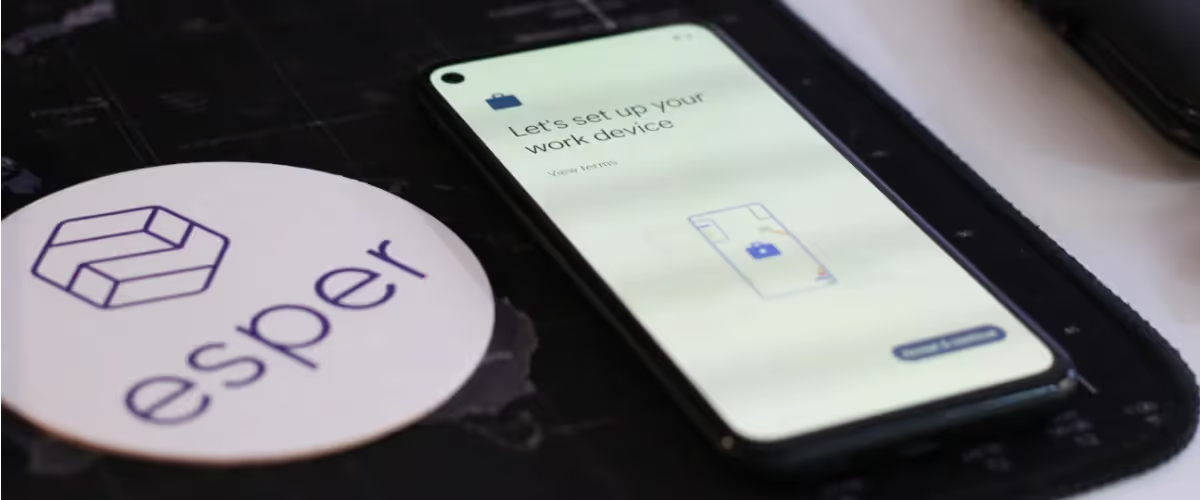
Zero-touch provisioning (ZTP) is a method of automating device enrollment, rather than relying on IT teams to manually configure every phone, tablet, kiosk, or laptop that joins a company's edge device fleet.
ZTP programs like Android Enterprise and Windows Autopilot were first built for employee device management use cases and, in reducing manual steps, are now considered the standard for modern device deployments.
But "zero touch" doesn't always mean the same thing, and ZTP programs can differ by OS, device manufacturer. This distinction is especially important for dedicated enterprise use cases. For example, restaurant and retail POS systems and kiosk deployments that occur on a larger scale than employee devices.
This is where other automated provisioning options like Seamless Provisioning take a different approach. embedding device provisioning capabilities directly into the OS to create truly no-touch provisioning options for dedicated devices like kiosks and POS terminals that have no user to complete setup. This guide breaks down how each method works, where they differ, and which option best fits your edge device fleet.
What is Zero-Touch Provisioning?
Zero-touch provisioning (ZTP) is an automated method for enrolling and configuring devices without a technician physically handling each one. When a factory-fresh device powers on and connects to a network, ZTP pulls configuration and security settings from a centralized server automatically.
ZTP is an industry-standard approach. You'll find it in programs like Android Enterprise Zero Touch, Apple Device Enrollment Program (DEP), and Windows Autopilot. Each of these programs was originally built for employee devices — phones, tablets, and laptops that workers set up themselves in BYOD (bring your own device) or COPE (corporate-owned, personally enabled) scenarios.
ZTP typically requires devices to be purchased through authorized resellers who pre-register them in a vendor portal before shipping. That works fine for standard corporate hardware. But if you're deploying kiosks, POS terminals, or other dedicated devices, that reseller dependency can become a bottleneck.
How zero-touch provisioning works
The general ZTP workflow follows a consistent pattern across platforms. IT teams pre-register devices with a reseller or OEM portal, assign them to an MDM (mobile device management) or EMM (enterprise mobility management) system, and devices auto-enroll when powered on with internet connectivity.
Android Enterprise zero-touch enrollment
Authorized resellers register device identifiers — IMEI or serial numbers — in Google's zero-touch portal and assign devices to an EMM. When the device boots and connects to a network, it downloads the Device Policy Controller (DPC) and applies policies automatically.
The Android setup wizard still appears, though it's streamlined. The device knows where it belongs and pulls its configuration without manual input. However, this assumes the reseller completed registration correctly before shipping.
Apple Device Enrollment Program
Devices purchased through Apple or authorized resellers are registered in Apple Business Manager. During Setup Assistant, the device automatically enrolls into the assigned MDM without manual configuration.
Apple DEP works well for iPhones and iPads in corporate fleets. Devices purchased outside Apple's authorized channel require manual enrollment, which is far from the definition of zero touch.
Windows Autopilot enrollment
Hardware vendors register device hardware hashes with Microsoft. When the device boots with internet connectivity, it joins Azure AD and receives Intune policies automatically.
Autopilot is particularly useful for laptop deployments where devices ship directly to remote employees. The user signs in, and the device configures itself from there.
What is Seamless Provisioning?
Esper Seamless Provisioning is a touchless onboarding method built specifically for dedicated device (Or COSU: corporate-owned, single-use) fleets. Think kiosks, point-of-sale systems, digital signage, rugged handhelds — devices that run a single application or a locked-down set of apps, used by multiple people or customers, and no single end user to own and manage the device, let alone complete setup.
With Seamless Provisioning, devices ship directly from the manufacturer to their final location. When someone plugs in the device and powers it on, enrollment happens automatically. No QR code scanning. No Wi-Fi selection screen. No staging warehouse in between.
Seamless Provisioning is available on Esper OEM hardware partners with support baked in at the factory to enable the deeper control needed when managing thousands of unmanned edge devices.
How Does Seamless Provisioning Work?
With Seamless Provisioning, Esper works with whoever builds the OS — whether that’s you or the device manufacturer — to integrate the Seamless Provisioning Repository into the OS. Additionally, we make sure that the Esper agent running on the device receives the appropriate permissions required to function automatically on boot.
Once you have an image built with Esper Seamless Provisioning enabled, all you need to do is flash it onto your device like a regular stock OS image. You’ll note the serial numbers of these devices so you can add them to the appropriate Blueprint in the Esper console, then they’re ready to be shipped to the deployment location.
First boot enrollment and configuration
Once the device boots for the first time, it immediately loads (and updates) the Esper agent, connects to the preconfigured Wi-Fi access point (this is added when compiling) and communicates with our cloud to load the appropriate Blueprint that its serial number is associated with. There's no setup wizard, no QR code, no technician interaction required.
Blueprint and policy deployment
After the device is booted up, the Esper agent then provisions using that Blueprint, and within a couple minutes the device is ready for use. You can see the entire process, from boot to fully set up, happen in the GIF below.

Blueprints are Esper's configuration templates. They specify apps, restrictions, network settings, and device behavior. During Seamless Provisioning, the Blueprint applies automatically, so devices arrive at their destination already locked down and configured.
If you update a Blueprint later, changes push to devices without requiring re-provisioning or factory resets. That's a workflow designed for fleets that change constantly.
Key Differences Between Zero-Touch and Seamless Provisioning
The core comparison comes down to what each approach was designed for and how deeply it integrates with the device.
Dedicated device fleet optimization
ZTP was architected for employee devices that users set up themselves. Seamless Provisioning was built for unmanned kiosks, POS terminals, digital signage, and rugged devices where no end user exists.
That distinction matters more than it might seem. When there's no user to complete setup, you want zero interaction—not just reduced interaction.
Configuration depth and lockdown capabilities
Seamless Provisioning enables deeper hardware-level configurations through Esper Foundation. IT teams can restrict USB ports, control peripheral behavior, and enforce settings that standard ZTP simply can't touch.
- Hardware-level restrictions: Control USB access, camera, Bluetooth, and other hardware features at the OS level
- Advanced kiosk modes: Lock devices to single apps or curated app sets with no escape routes
- Custom OS behavior: Modify boot sequences, disable system UI elements, and control update timing
For dedicated devices, that level of control often determines whether a deployment succeeds or becomes a support burden.
Hardware and OS compatibility
ZTP requires device manufacturers to participate in enrollment programs. If your hardware vendor isn't an authorized reseller for Google, Apple, or Microsoft's programs, you're out of luck.
Seamless Provisioning works with participating Android or Linux hardware manufacturers, or on any device running Esper Foundation, Esper’s custom Android operating system.
Read More: Seamless vs Manual Provisioning for Linux Fleets >
When to use zero-touch provisioning
ZTP makes sense in several common scenarios:
- Employee device deployments: Laptops, phones, and tablets assigned to individual workers who complete initial setup
- BYOD or COPE programs: Where users handle some configuration themselves
- Standard enterprise hardware: Devices purchased through authorized reseller channels with ZTP support
- Mixed fleet management: When managing both personal and corporate devices together
If your devices have users who interact with them daily and you're buying from major OEMs through standard channels, ZTP is a solid choice. The infrastructure is mature, and most enterprise MDM platforms support it out of the box.
When to use Esper Seamless Provisioning
Seamless Provisioning fits different requirements, making it a better option for enterprise-owned and dedicated edge devices, including:
- Dedicated device fleets: Kiosks, POS systems, digital signage, rugged handhelds with no end user
- Large-scale deployments: Shipping hundreds or thousands of devices directly to stores, warehouses, or field locations
- Deep lockdown requirements: When devices require kiosk mode, restricted app access, or custom hardware configurations
- Custom OS control: When Esper Foundation is needed to overcome legacy OS constraints or enable advanced device behavior
If your devices are tools rather than personal computing devices, Seamless Provisioning eliminates the friction that ZTP wasn't designed to address. Organizations often use both methods for different device types within the same fleet — ZTP for employee laptops and Seamless Provisioning for dedicated edge devices.
Why Seamless Provisioning Fits Modern Dedicated Device Fleets
The challenge with dedicated devices isn't just enrollment. It's everything that comes after. Staging warehouses, kitting operations, and third-party logistics add cost and delay. Every manual touchpoint introduces potential for error and extends time-to-deployment.
Seamless Provisioning eliminates those steps entirely. Devices ship from the manufacturer to their final location, power on, and they're ready. No staging facility, no technician visit, no QR codes to scan.
For IT teams managing thousands of devices across hundreds of locations, that's not just convenience. It's the difference between scaling sustainably and drowning in deployment logistics. When a new store opens, devices can arrive ready to work on day one.
Learn More: Esper Seamless Provisioning >